
dbt CLI
Video:
Local Development
Section titled “Local Development”Local development runs on the Keboola as Code CLI (kbc), a separate tool from
kbagent. Its reference documentation has been retired; the tool itself lives at
keboola/keboola-as-code, and the install commands
you need are below.
Install
Section titled “Install”macOS — via Homebrew:
brew tap keboola/keboola-clibrew install keboola-clikbc --versionDebian / Ubuntu:
sudo wget -P /etc/apt/trusted.gpg.d https://cli-dist.keboola.com/deb/keboola.gpgecho "deb https://cli-dist.keboola.com/deb /" | sudo tee /etc/apt/sources.list.d/keboola.listsudo apt-get updatesudo apt-get install keboola-clikbc --versionFedora:
sudo rpm --import https://cli-dist.keboola.com/rpm/keboola.gpgecho "[keboola]name=keboolabaseurl=https://cli-dist.keboola.com/rpmenabled=1gpgcheck=1gpgkey=https://cli-dist.keboola.com/rpm/keboola.gpg" | sudo tee /etc/yum.repos.d/keboola.reposudo dnf install keboola-clikbc --versionAlpine:
echo "https://cli-dist.keboola.com/apk" | sudo tee -a /etc/apk/repositoriessudo wget -P /etc/apk/keys/ https://cli-dist.keboola.com/apk/keboola.rsa.pubsudo apk updatesudo apk add keboola-clikbc --versionWindows — with WinGet, Chocolatey or Scoop:
winget install Keboola.KeboolaCLIchoco install keboola-cliscoop bucket add keboola https://github.com/keboola/scoop-keboola-cli.git && scoop install keboola/keboola-cliAn MSI installer and precompiled binaries are also available.
Upgrade
Section titled “Upgrade”Use your package manager’s upgrade command — brew upgrade keboola-cli, sudo apt-get install keboola-cli,
sudo dnf update keboola-cli, apk add --upgrade keboola-cli, winget upgrade Keboola.KeboolaCLI,
choco upgrade keboola-cli or scoop update keboola/keboola-cli — then confirm:
kbc --version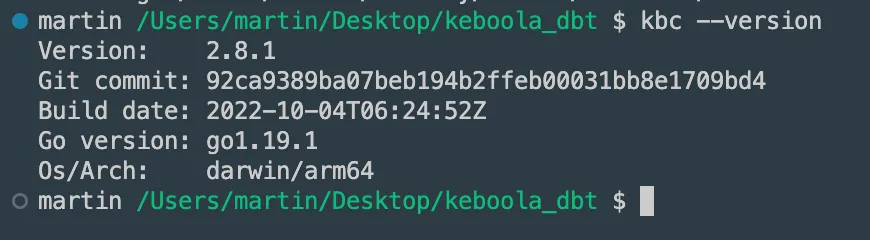
You will then gain access to dbt-related commands within Keboola CLI!
initial setup
You must have a Keboola project, a cloned git repository with a dbt project, and the dbt binary installed.
The user is in the folder with the cloned dbt project and can run the following commands.
kbc dbt init
Section titled “kbc dbt init”-
Creates a Snowflake workspace.
-
Generates
profilesandsourcesyaml files.DBT_KBC_DEV_{ENV_NAME}_DATABASE(we ask for env name)
-
Generates env vars (used
profiles.yml). -
They are outputted to stdout.
Example
Section titled “Example”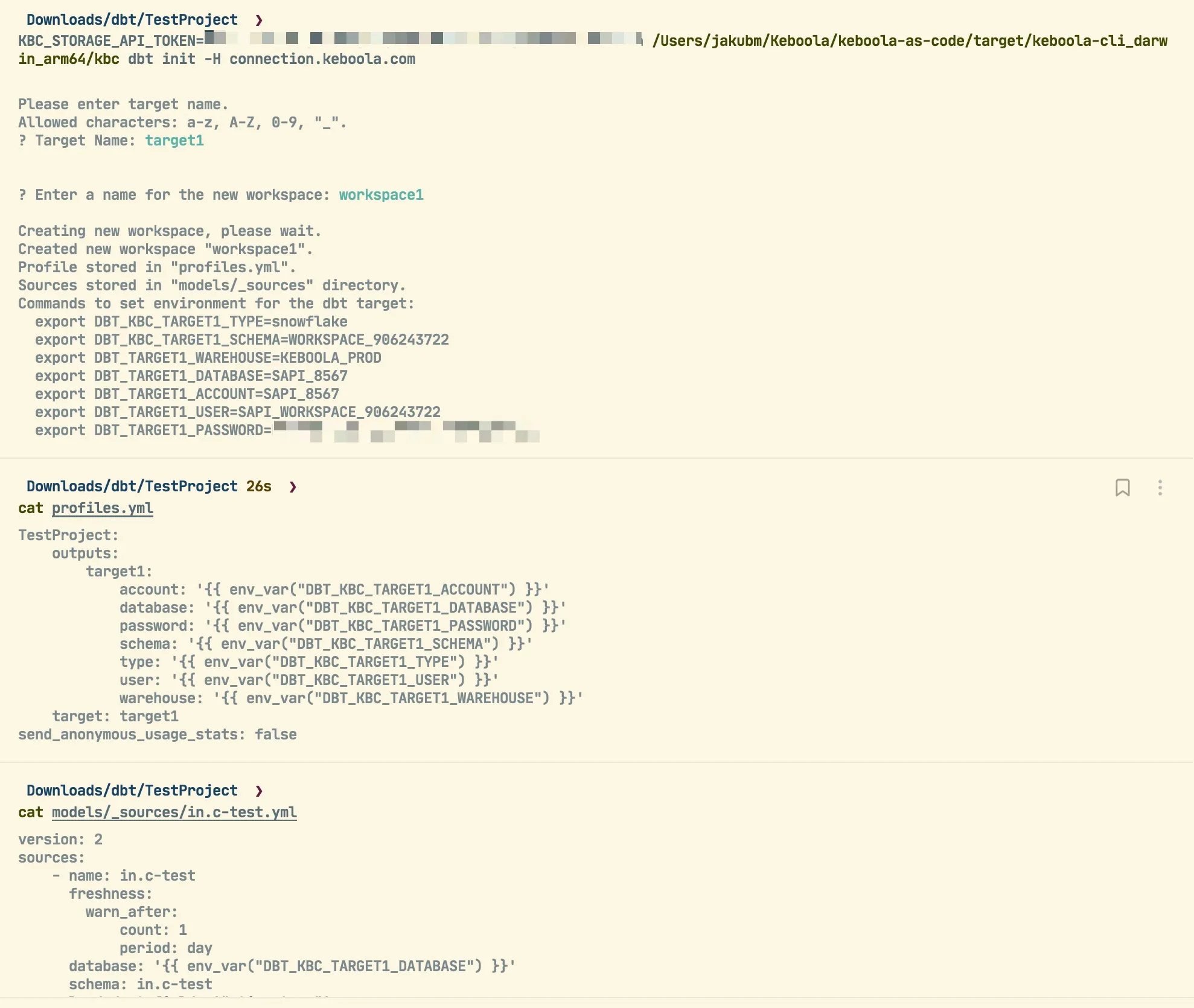
Store credentials to your zsh env profile (or your respective environment):
Section titled “Store credentials to your zsh env profile (or your respective environment):”The file is located (Unix) in ~/.zshrc
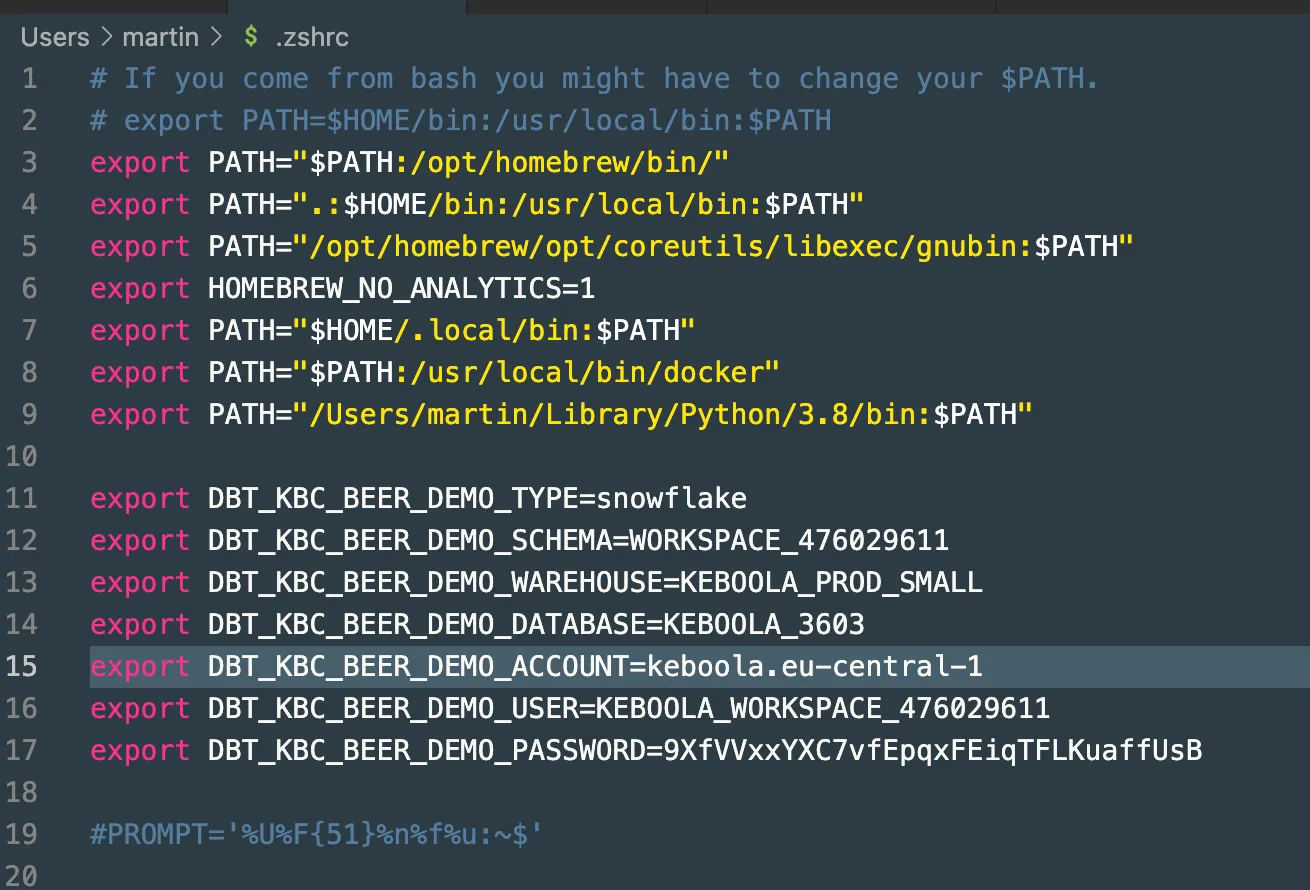
Then you can run dbt locally against the project storage, safely develop and test your code.
As part of the init command, CLI will create all sources from storage buckets. A storage bucket is a source file containing tables:
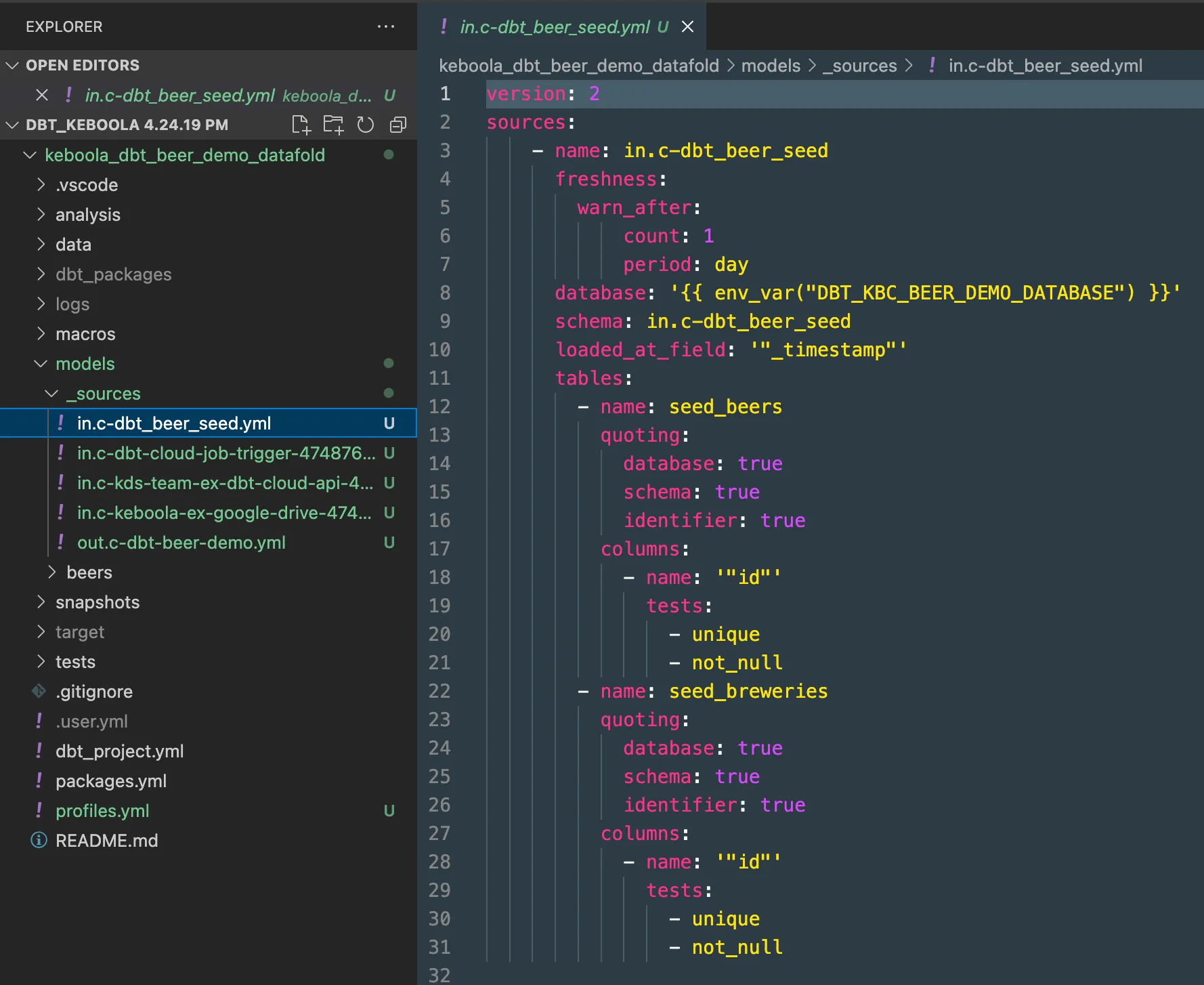
Note: Please note that _timestamp is automatically filled, alongside primary keys and corresponding tests for primary keys (unique and not_null tests).
Run Test Debug
Section titled “Run Test Debug”dbt debug -t beer_demo --profiles-dir .Notes
-
beer_demois the target name used in the prior step and visible in profiles.yml -
We are using local profiles; they are using environmental variables stored before.
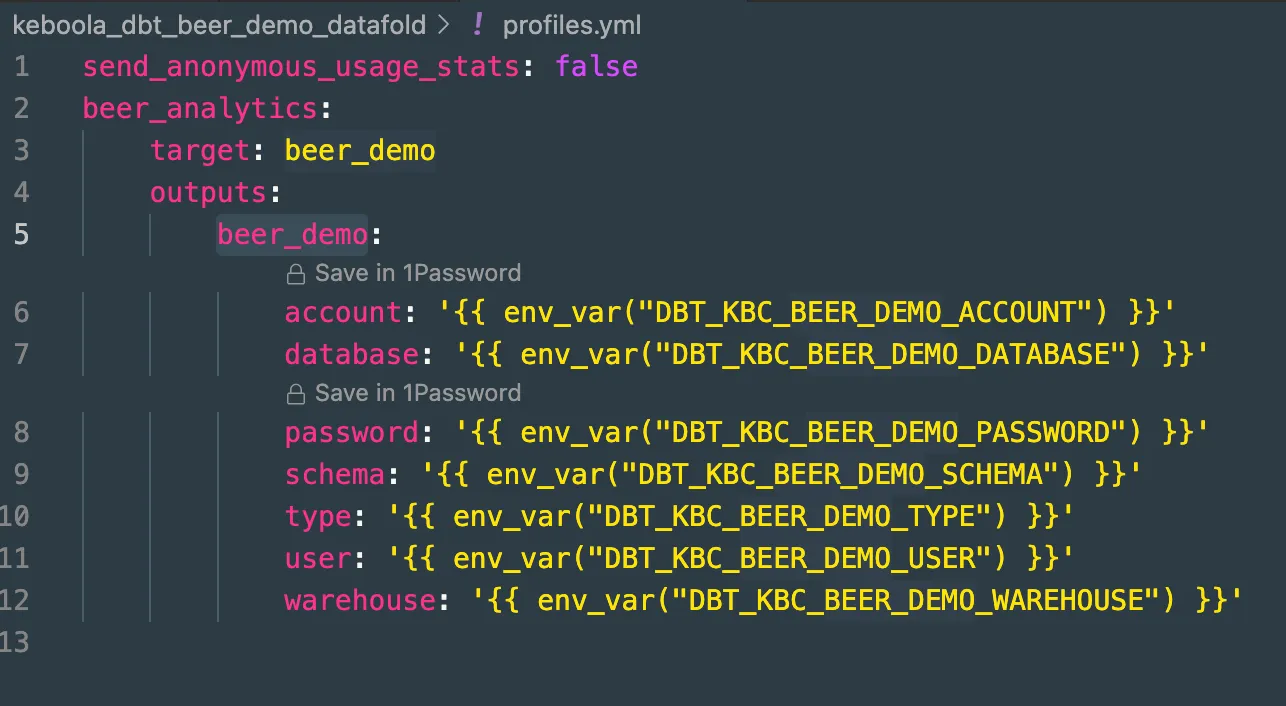
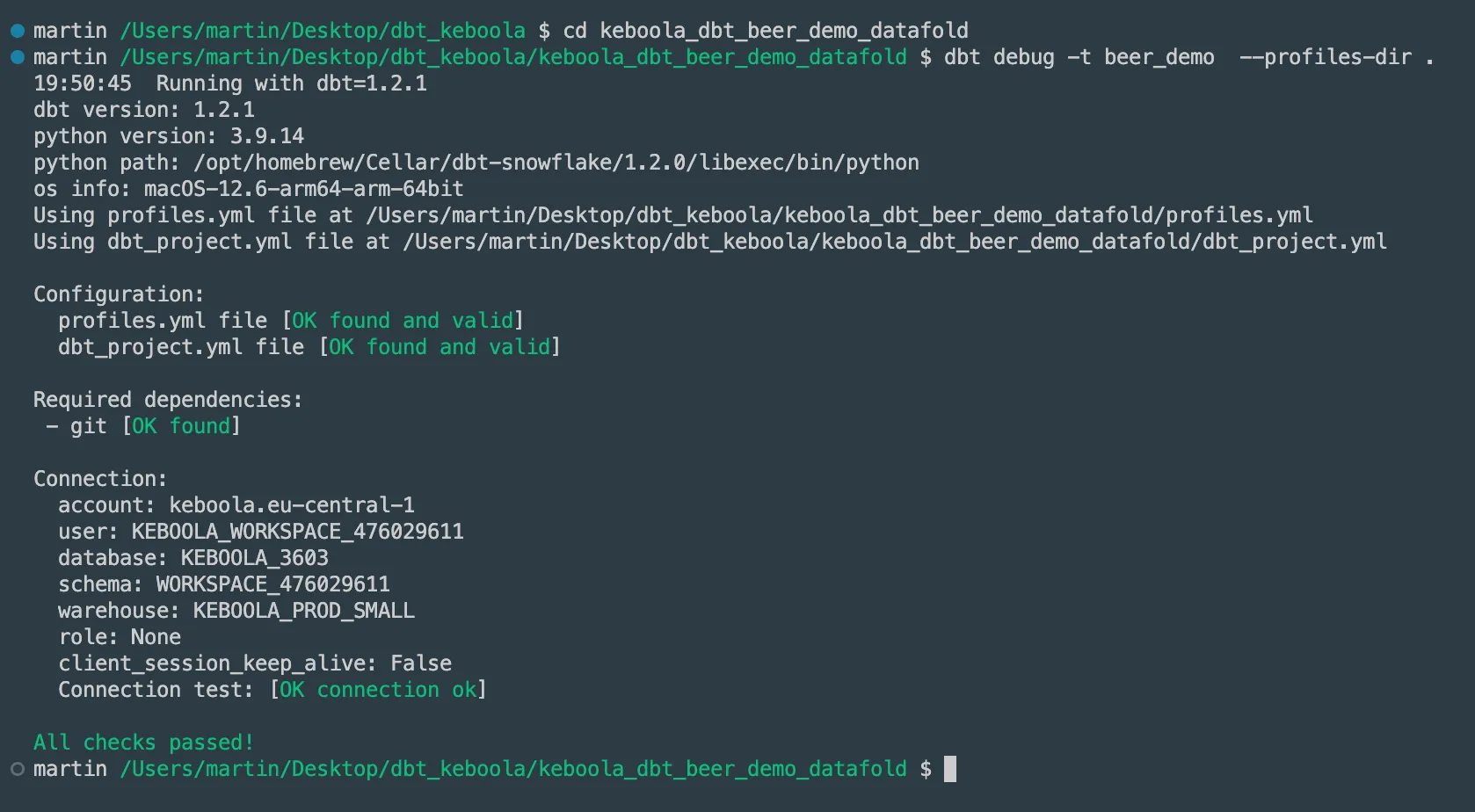
You should see green in all steps:
dbt Run
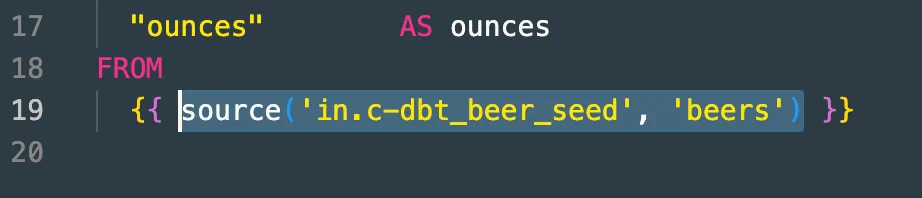
Section titled “dbt Run”For the script alteration, the only check/change you have to make with off-the-shelf scripts is to alter source definitions to match sources:
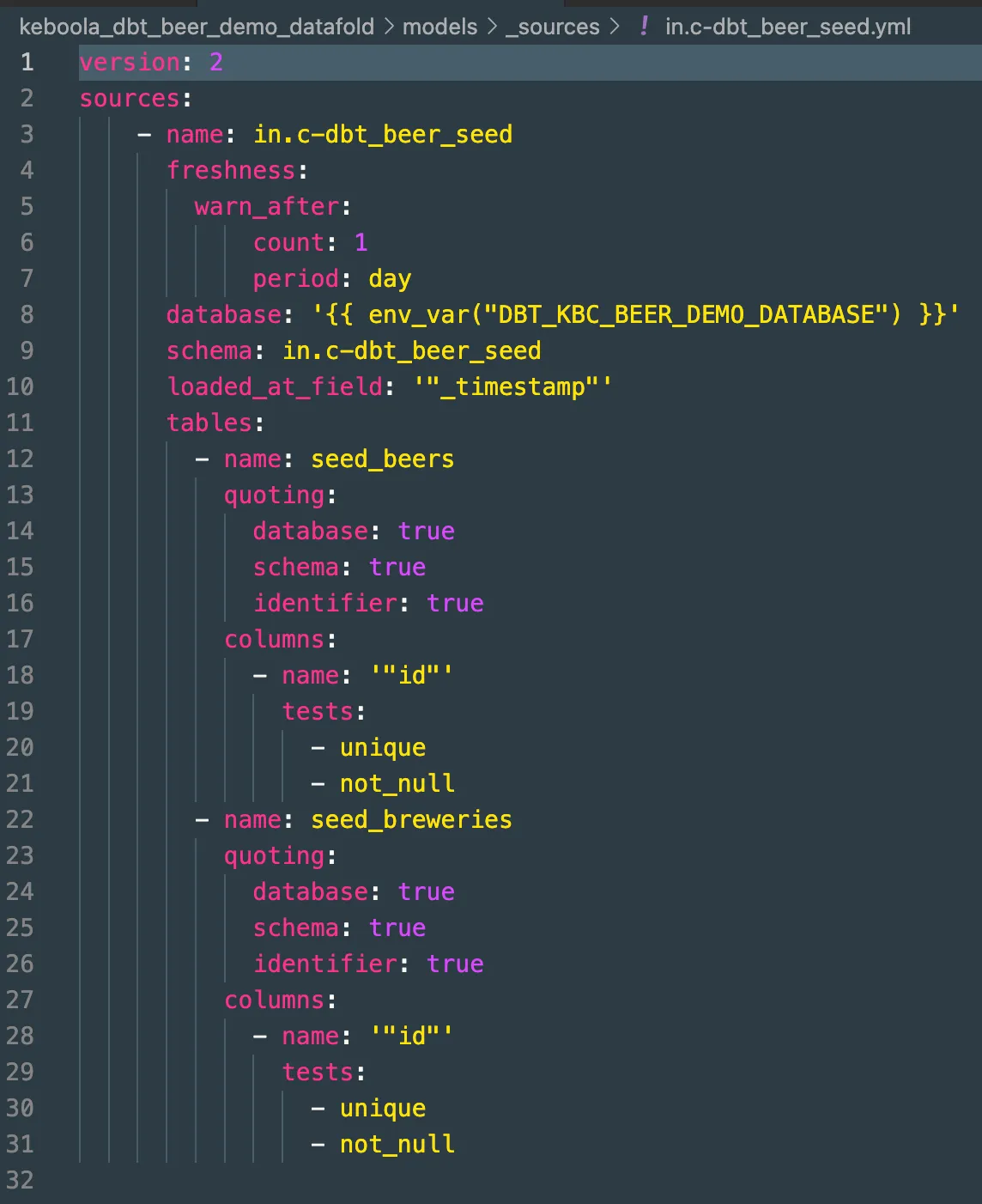
To execute the dbt:
dbt run -t beer_demo --profiles-dir .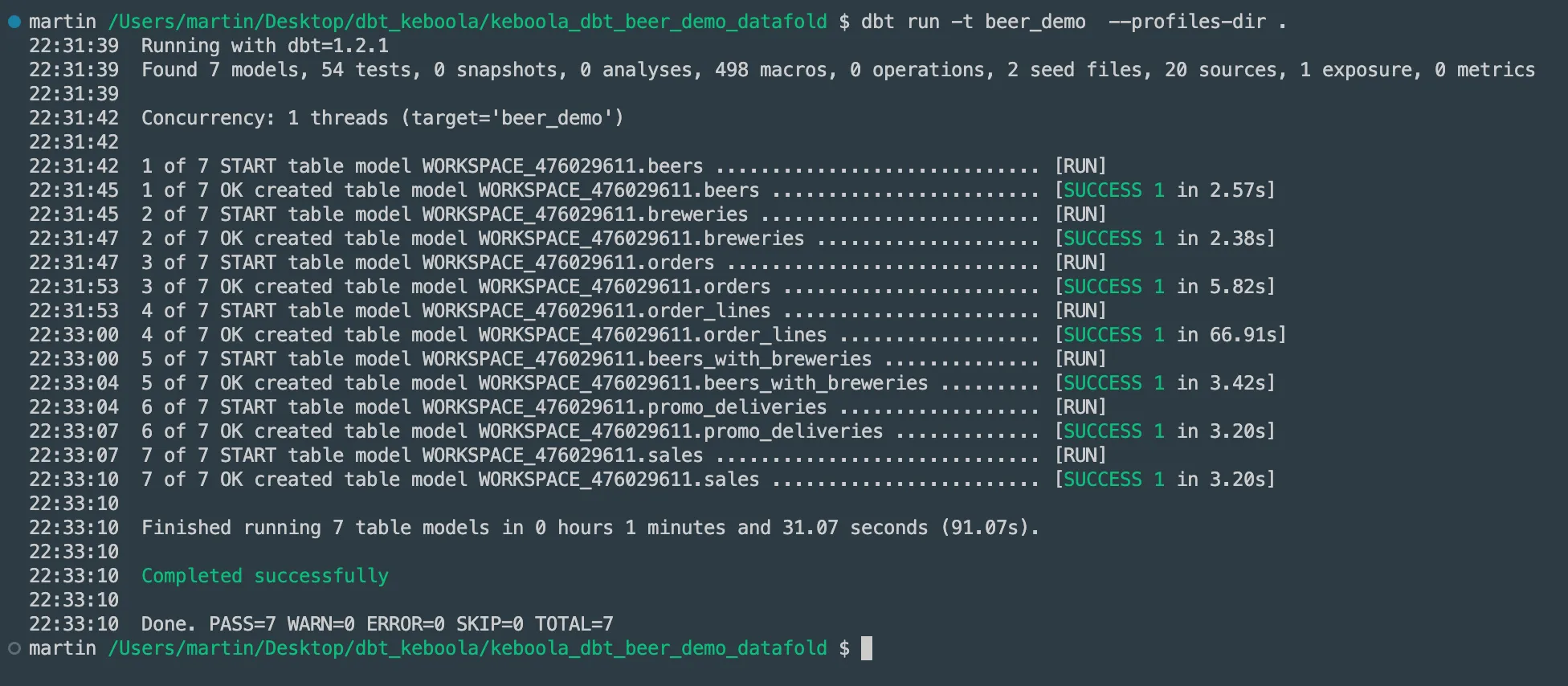
Other Commands for Future Use
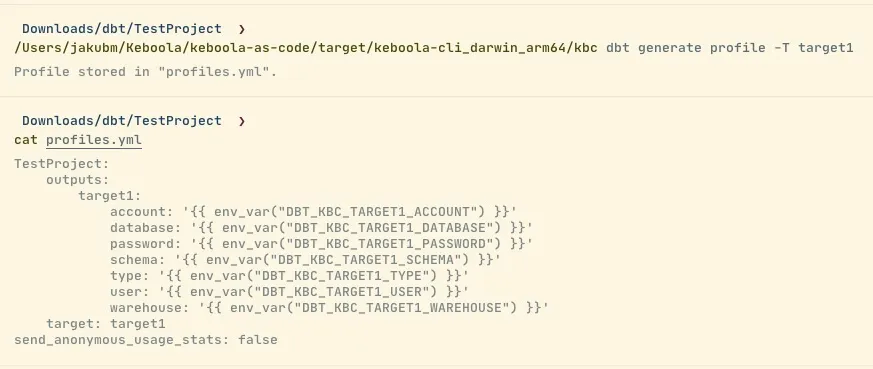
Section titled “Other Commands for Future Use”kbc dbt generate profile
Section titled “kbc dbt generate profile”-
Generates just
profiles.yml. -
Reads the profile name from
dbt_project.ymland thetargetname from the input. -
Stores the profile to
profiles.yml.- If there is an existing profile with the same name, it will be overwritten. Otherwise, the new profile will be just appended to the others if there are any.
-
Example (non-interactive mode):
kbc dbt generate sources
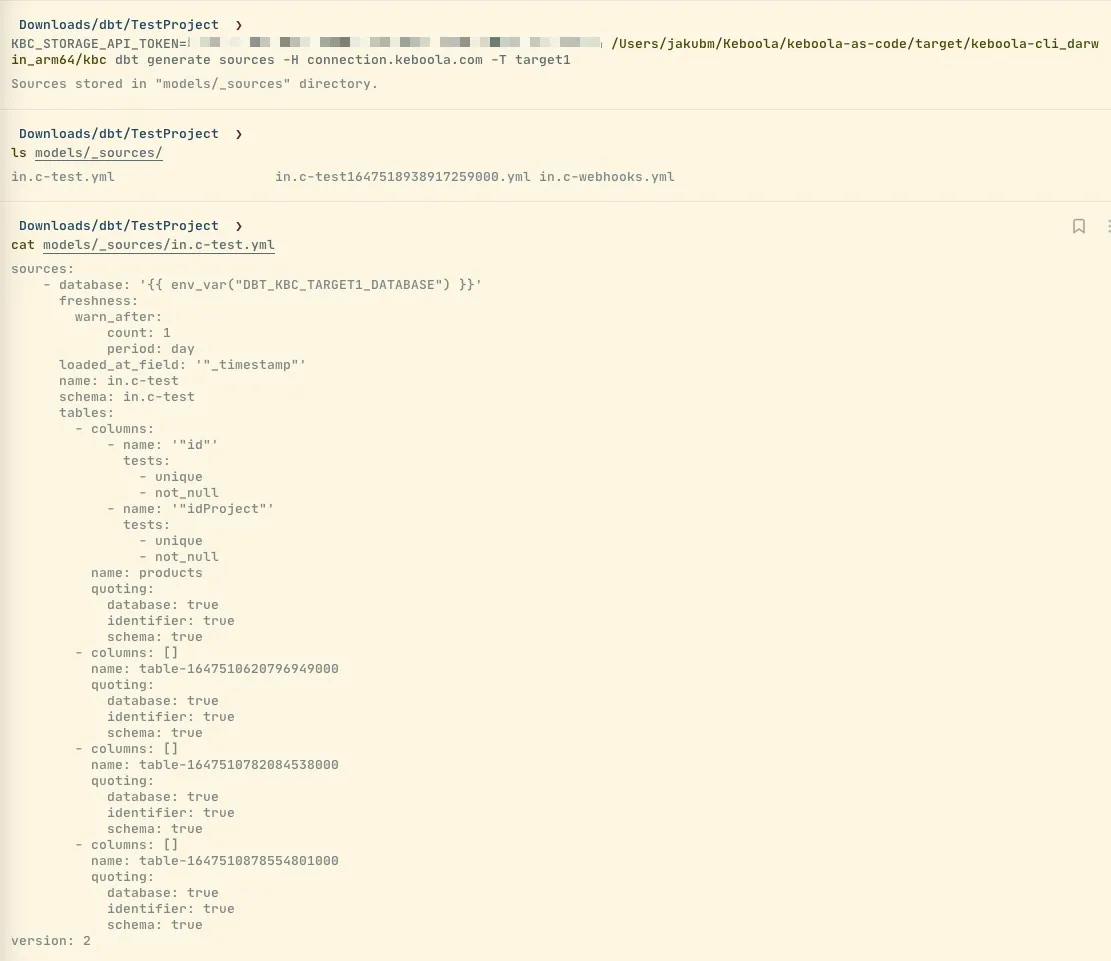
Section titled “kbc dbt generate sources”-
Generates only
sources.yml. -
Lists all tables in the default branch from the Storage API and generates source files to
models/_sources. Tables from each bucket are stored in a separate file. -
Example (non-interactive mode)
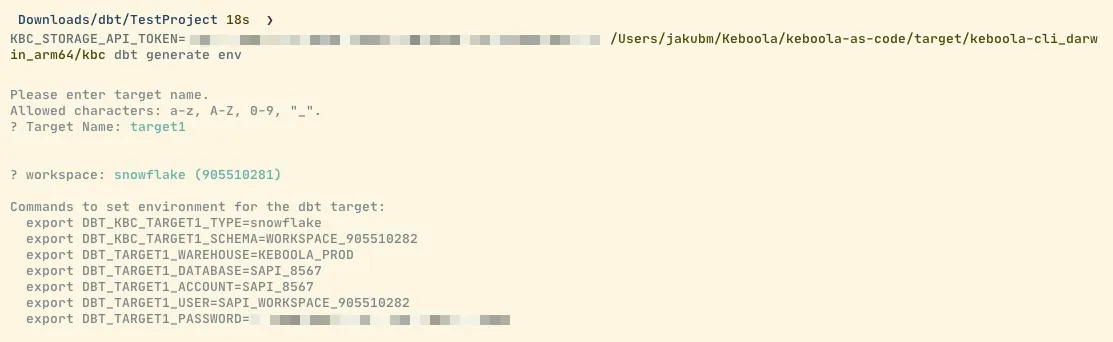
kbc dbt generate env
Section titled “kbc dbt generate env”-
Generates bash commands to create env vars for dbt CLI.
-
Asks for an existing workspace (select box or id flag).
-
Example
Workspaces Support
Section titled “Workspaces Support”-
Universal support to manage workspaces
-
Hide
keboola.sandboxesconfigurations from the Keboola project folder structure.
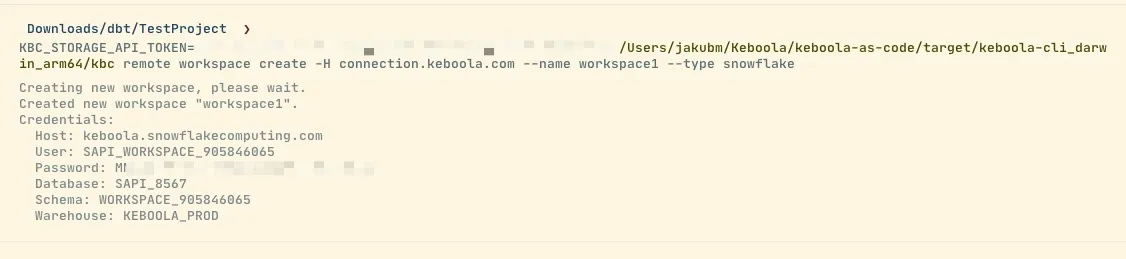
kbc remote workspace create
Section titled “kbc remote workspace create”-
Supports parameter
name,type, andsize(forpythonandr). -
Example (non-interactive mode)